Trackman Golf
- 4.7
- Rating
- 500.00K
- Installs
- Free
- Price

 Analysis by App-foxy
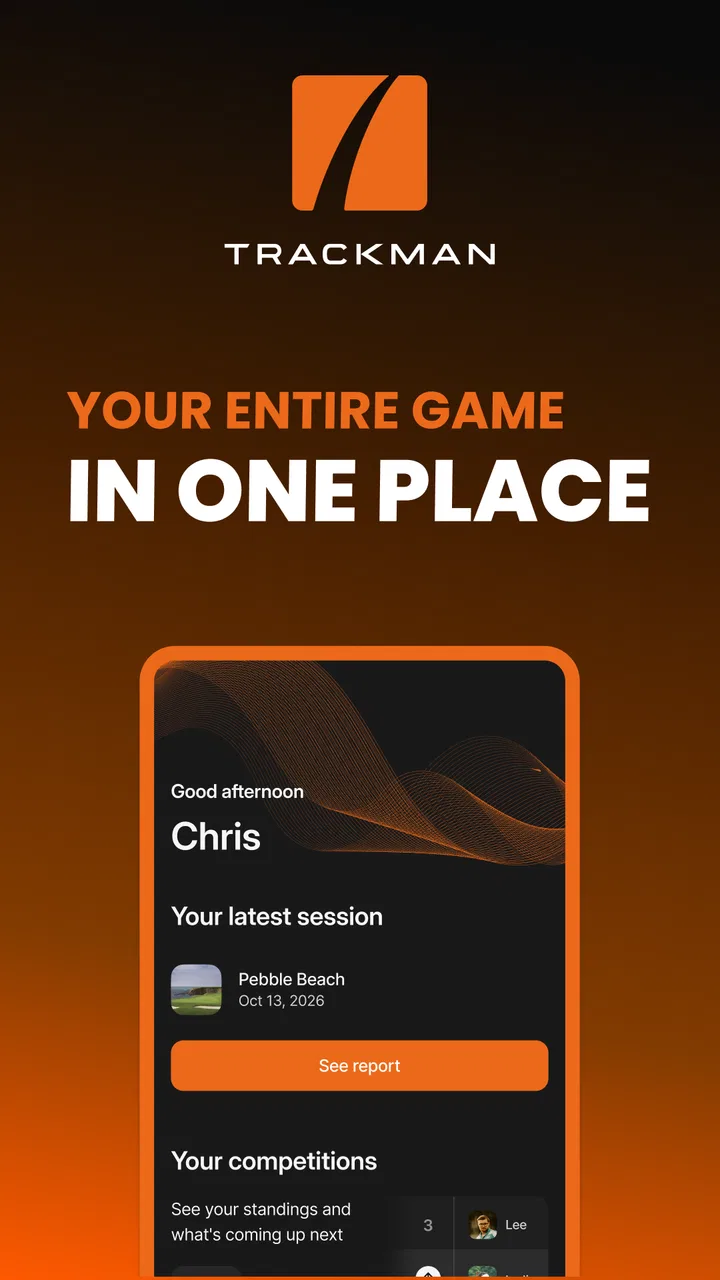
I approached Trackman Golf as a companion for people who already use TrackMan in their golfing routine, rather than as a general-purpose golf app. That distinction matters. It is not trying to replace a scorecard, a course-discovery service, or a casual swing-tip library. Its value comes from bringing TrackMan-related activity into one mobile place, so your phone becomes a practical bridge between sessions, practice, and the information connected to your TrackMan experience.
After spending time with it, my overall impression is that this is a focused sports app with a clear audience. If you regularly train with TrackMan, play at a venue that uses TrackMan technology, or want a more connected way to review your golf activity, it makes sense. If you simply want GPS distances, handicap management, or a basic digital scorecard, the usual golf alternatives may serve you better. The important question is not whether it is a good golf app in the abstract, but whether TrackMan is already part of the way you play.
How Trackman Golf fits into a modern golf routine
TrackMan Golf is developed by TrackMan and sits in the sports category. The app is free, carries an Everyone age rating, and has built a substantial audience, with more than half a million installs and a 4.7 average from roughly sixteen thousand ratings. Those figures suggest that it is not an obscure companion app, but they do not change its focused nature. A large audience does not turn it into a universal golf toolkit.
You May Also Like

 Blood Strike: 2.5 Anniversary
Blood Strike’s Loadouts Turn Every Drop Into a Tactical Gamble
A close look at Blood Strike’s custom loadouts: how fast access to signature weapons reshapes its battle royale rhythm, rewards preparation, and narrows the gap between fights.

 Pandora - Music & Podcasts
Pandora’s Music Is Easy to Start, but Harder to Recover
Pandora’s strength is its low-effort path from a seed to a station. Its weak spot is how much confidence it asks you to place in connection, setup, and quiet recovery.

 8 Ball Pool
 Is Built on Rivalries, Rematches, and Routine
A close look at the rivalries, rematches, shared routines, and unanswered safety questions that turn a quick pool match into a persistent mobile community.

 Samsung Music
’s Quiet Strength Is Playing What You Already Own
Its reach comes less from spectacle than from dependable access to a personal library. That simplicity is both the app’s strongest retention engine and its ceiling.

 AccuWeather: Weather Radar
AccuWeather Review: A Quick, Clear Forecast for Everyday Decisions
For everyday plans, the best forecast is the one you can understand quickly. AccuWeather makes rain timing, radar, and local conditions easy to act on, with a few trade-offs.

 Hill Climb Racing
Why Hill Climb Racing Still Turns Crashes Into One More Run
A tiny car, a bumpy hill and one more upgrade: Hill Climb Racing keeps resurfacing because its simple chaos makes every near-miss feel personal.
More From Our News Desk



I found the strongest use case among golfers who move between practice and play. A typical session might begin with a visit to a TrackMan-equipped facility, continue with a review of what happened during that session, and then lead into another round or practice plan later in the week. The app is most useful in that chain because it gives the TrackMan activity a recognizable home instead of leaving every interaction tied only to the physical venue or equipment.
That makes the experience different from opening a conventional golf app before a round. A standard golf utility usually starts with a course map, hole information, a scorecard, or a way to record shots manually. Trackman Golf starts from the TrackMan ecosystem. Its purpose is less about supplying every golf tool and more about keeping your TrackMan-related activity accessible when you are away from the bay or simulator.
For a beginner, that focus can be either reassuring or confusing. It is reassuring because the app does not bury its identity under unrelated golf features. It can be confusing if you install it expecting a complete introduction to golf or a replacement for every app you already use. I would think of it as a companion layer, not the entire digital side of the sport.
The current experience is best for connected players
The app’s central idea is simple: put your TrackMan activities in one place. In practice, that means its usefulness depends on how often you encounter TrackMan in real life. Someone who visits a TrackMan range occasionally may find it helpful for keeping that activity together, but may not open it every day. A regular user has a much stronger reason to keep it installed and check it before or after practice.
I also appreciate that the app does not need to pretend to be a social network or a broad golf portal to be worthwhile. Its identity is narrower, which makes the decision easier. If your club, training venue, or simulator routine is built around TrackMan, the app is relevant. If your golf life happens entirely on courses without that connection, its role becomes much smaller.
One practical point is worth understanding before downloading it: the free price removes the financial barrier, but it does not remove the ecosystem barrier. You still need a meaningful TrackMan context for the app to have something useful to organize. Free does not automatically mean useful for everyone, and this is a good example of why checking the app’s purpose matters more than checking its price.
What the version history tells existing users
The current version is 5.4.3, and the app was released on September 20, 2017. That combination tells me that Trackman Golf is a maintained product with a long life behind it, rather than a new experiment still trying to establish its role. For existing users, a mature version number is encouraging because it suggests the app has had time to develop around real usage instead of launching with only a narrow first draft.
At the same time, I would not read a version number as proof that every part of the experience will feel modern or equally polished. Long-running apps often carry older design decisions alongside newer improvements. What matters is whether the current build supports the way you use TrackMan today, and whether the app remains dependable when you need it at the venue, after practice, or while checking past activity.
The evolution is most meaningful when viewed from the user’s side. A golfer who has relied on the app for years is likely to judge updates by continuity: can familiar routines still be completed without unnecessary searching, and does the app remain a reliable front door to TrackMan activity? A new user will judge it differently, focusing on how quickly the purpose becomes clear and whether the first setup feels worth the effort.
I would advise current users to treat a version update as a reason to revisit the app, not merely tap through an update prompt. Check whether the areas you use most are still easy to reach. If you depend on it before a session, open it while you have time rather than waiting until you are standing at the facility. That small habit reduces frustration when an app has changed its layout or sign-in flow.
Where it helps in everyday use
Imagine a golfer who has a practice session after work. They arrive with a specific goal, spend time hitting balls, and later want to reconnect with that TrackMan activity instead of relying on memory. Trackman Golf is useful in that situation because it keeps the session tied to a mobile account experience. The phone is not replacing the TrackMan equipment; it is helping the golfer carry the context of that session beyond the hitting area.
Another realistic scenario is a player preparing for a lesson. Before meeting a coach, the golfer can use the app as the place to revisit their TrackMan-related activity and arrive with a clearer idea of what they have been working on. I would not claim that the app alone creates a coaching plan, but it can make the conversation more grounded than “I think my swing was inconsistent last week.” The value is in continuity between sessions.
A third use case is venue-based practice. If you regularly visit a TrackMan facility, keeping the official companion installed is more convenient than treating every visit as an isolated event. You are less likely to forget where your TrackMan activity belongs, and you have a consistent starting point when preparing for another session.
There is also a subtle benefit for golfers who use more than one kind of golf app. I do not see Trackman Golf as a replacement for a course-navigation or scoring app. Instead, it can occupy a different role: one app for on-course logistics and another for TrackMan-centered practice or activity. That division is sensible, although it means you may need to maintain two separate habits rather than expecting one app to handle everything.
Small workflow choices that make a difference
The first useful habit is to open the app before arriving at a session, especially if you have not used it recently. This gives you time to confirm that your account and the relevant TrackMan connection are ready. It is a simple step, but it avoids turning the first minutes of practice into account housekeeping.
The second is to use it as a reflection tool rather than only an access point. After a session, take a moment to connect what you experienced physically with what the TrackMan environment recorded or presented to you. The app is more valuable when it supports a repeatable practice loop: prepare, train, review, and return with a clear purpose.
The third is to separate app friction from equipment friction. If something feels wrong during a visit, first identify whether the issue is inside the mobile app, connected to the venue, or related to the TrackMan setup itself. That distinction helps you ask the right person for help and prevents you from abandoning the app because of a problem that actually belongs to the facility or equipment.
Finally, I would avoid treating every available piece of information as equally important. Golfers can easily become distracted by numbers and activity history while forgetting the original practice goal. Use the app to support a decision—what to work on next, what to discuss with a coach, or whether a session was consistent with your plan—rather than simply collecting more data.
How it compares with ordinary golf alternatives
Compared with a standard scorecard app, Trackman Golf is more specialized and less universal. A scorecard tool is usually useful on almost any course, whether or not the venue uses TrackMan. It may be the better choice for keeping round-by-round results, tracking handicap-related information, or quickly recording a casual game.
Compared with a GPS golf app, the difference is even clearer. GPS apps are built around where you are on the course and what lies ahead of you. Trackman Golf is built around your relationship with TrackMan activity. If your main question is “How far is the front of the green?”, another golf app is probably the right tool. If your main question is “How do I stay connected to my TrackMan practice?”, this app is the more natural fit.
Compared with a generic fitness tracker, it also offers a different kind of value. A fitness app may tell you about movement, time, or general activity, but it does not provide the same golf-specific connection to a TrackMan session. On the other hand, a fitness tracker is more useful if your goal is walking distance, exercise habits, or broad health trends rather than practice context.
The trade-off is specialization. Trackman Golf avoids being a cluttered all-in-one golf toolbox, but that also means it cannot replace every tool. I prefer this honesty of purpose, although users should be comfortable keeping another app for course play. The right setup may be a small collection of focused apps, with this one handling the TrackMan side.
Limitations I would consider before relying on it
The biggest limitation is dependence on the TrackMan ecosystem. Without regular access to TrackMan-related activity, the app has less reason to occupy space on your phone. A golfer who plays traditional rounds and rarely practices with TrackMan may open it once, understand the idea, and then return to a more general golf app.
Another possible source of friction is expectation. Because the app is free and has a polished, established presence, a new user might assume it includes every feature needed for golf. I would not make that assumption. It is better to install it knowing that it is a TrackMan companion, then keep a separate scorecard or GPS solution if those functions are central to your routine.
There is also a behavioral limitation: an app cannot make practice meaningful by itself. If you open it without a goal, you can still end up browsing activity without learning much. The strongest results come when you pair it with a simple question, such as whether a swing change is becoming repeatable or what you want to test during the next session.
People who dislike account-based ecosystems may also find the concept less appealing than a lightweight manual tool. A basic scorecard app can feel faster because you enter only what you need. Trackman Golf makes more sense when you want continuity with TrackMan, not when you want the fewest possible taps.
Who should install it, and who should skip it
I would recommend it to regular TrackMan users, golfers who practice at TrackMan-equipped venues, and players who want their practice activity to remain connected between visits. It is also a sensible choice for someone working with a coach who uses TrackMan as part of the training routine, provided the golfer wants a mobile companion for that process.
I would be more cautious for a golfer whose needs are limited to course navigation, manual scoring, or handicap tracking. Those players may get more daily value from a dedicated golf utility designed around the course itself. Installing Trackman Golf in that situation is unlikely to hurt, especially because it is free, but it may not become part of your regular routine.
It is also not the best fit for someone looking for a standalone swing-analysis app with no connection to TrackMan. The app’s strength comes from its relationship with the TrackMan experience, so choosing it purely because it belongs to the sports category would be too broad a reason.
What current users should watch next
For existing users, I would watch the balance between continuity and change. A mature companion app should make familiar tasks easier over time without forcing regular golfers to relearn the entire experience. The most valuable future improvements would be the ones that reduce the distance between a TrackMan session and the next useful action: reviewing activity, preparing for practice, or sharing a clear topic with a coach.
I would also pay attention to how well the app serves both long-time users and newcomers. Experienced golfers need efficient access, while first-time users need a clear explanation of what the app does and when it is useful. Those needs can conflict, so good product evolution should make the first visit understandable without adding clutter for people who use it every week.
My practical advice is to keep the app updated, but judge each release by your own routine rather than by the version number alone. The current 5.4.3 build is the one to evaluate today; future changes should be measured by whether they improve access, clarity, and continuity for your TrackMan use. Expectations are useful, but they should not be confused with confirmed capabilities.
My final take after using it
Trackman Golf succeeds because it knows what it is. It is a focused sports companion for TrackMan activities, not a universal golf replacement. I like that specialization when it matches the golfer’s routine, and I think the free entry point makes it easy for TrackMan users to try without overthinking the decision.
The app is at its best when it supports a cycle of practice and reflection. It can help you keep TrackMan connected to your wider golfing life, prepare for another session, and avoid treating every visit as a disconnected event. The less obvious advantage is organizational: it gives your TrackMan use a consistent mobile home, which can make practice feel more deliberate.
My reservation is equally clear. If you do not regularly use TrackMan, there may not be enough reason to return to the app. It also will not replace a GPS tool, a scorecard, or every other golf service you may already use. That is not a flaw so much as the cost of choosing a specialized companion.
Overall, I would recommend Trackman Golf to golfers already inside the TrackMan world and to anyone whose practice routine depends on it. I would skip it as a general golf download if your priorities are course mapping or simple scoring. For the right player, its real strength is turning separate TrackMan sessions into a more continuous habit, and that is a useful role even when it is not the only golf app on your phone.
FAQs for Trackman Golf
01What is Trackman Golf, and how does it work?
Trackman Golf is a sophisticated app designed for golfers to improve their game through data-driven insights. Utilizing radar technology, it tracks club and ball data with precision, offering detailed analysis on swing, trajectory, and overall performance. It's suitable for both amateur and professional golfers looking to enhance their skills.
02Is Trackman Golf compatible with all devices?
Trackman Golf is available on both Android and iOS platforms. However, to ensure optimal performance, it's recommended to use the app on devices with the latest operating system updates. For specific hardware requirements, users should check the app’s compatibility details on the respective app store pages.
03What features does Trackman Golf offer to users?
Trackman Golf provides a range of features including swing analysis, virtual practice, and real-time feedback on performance. Users can benefit from 3D visuals, personalized training programs, and access to a global leaderboard. The app also offers the capability to play virtual rounds on famous golf courses worldwide.
04Are there any subscription fees for using Trackman Golf?
Trackman Golf offers a free version with limited features, but to access the full range of tools and data analytics, a subscription is required. There are different subscription plans available, providing options to suit various budgets and needs. Users should review the pricing details within the app for more information.
05How does Trackman Golf help improve my golfing skills?
Trackman Golf leverages advanced technology to deliver precise metrics on every aspect of your game. By analyzing data such as club speed, launch angle, and spin rate, it helps identify strengths and weaknesses. The app provides personalized feedback and drills, enabling users to focus on specific areas for improvement, leading to measurable progress over time.
Pros
- Accurate swing analysis and feedback.
- Wide range of data metrics available.
- User-friendly interface design.
- Real-time tracking and updates.
- Comprehensive training programs included.
Cons
- Requires specific hardware for full use.
- Subscription cost can be high.
- Limited offline functionality.
- May overwhelm beginners with data.
- Heavy app size may affect storage.

Trackman Golf
Gallery